Process Management & Document Control Software
inforum manages processes and related documents on a single data foundation: process map, BPMN diagram, turtle diagram, RASIC, and KPIs are generated from the same data used to control instructions and templates. Two-stage approval and read confirmation make every version verifiable, in line with ISO 9001, IATF 16949, and VDA 6.3.

One set of rules for processes and documents
A management system is judged by how well it is controlled. ISO 9001 requires documented processes with responsibilities, interactions, and performance indicators, as well as documented information under formal approval. IATF 16949 and the VDA standards extend the burden of proof down to the individual work instruction.
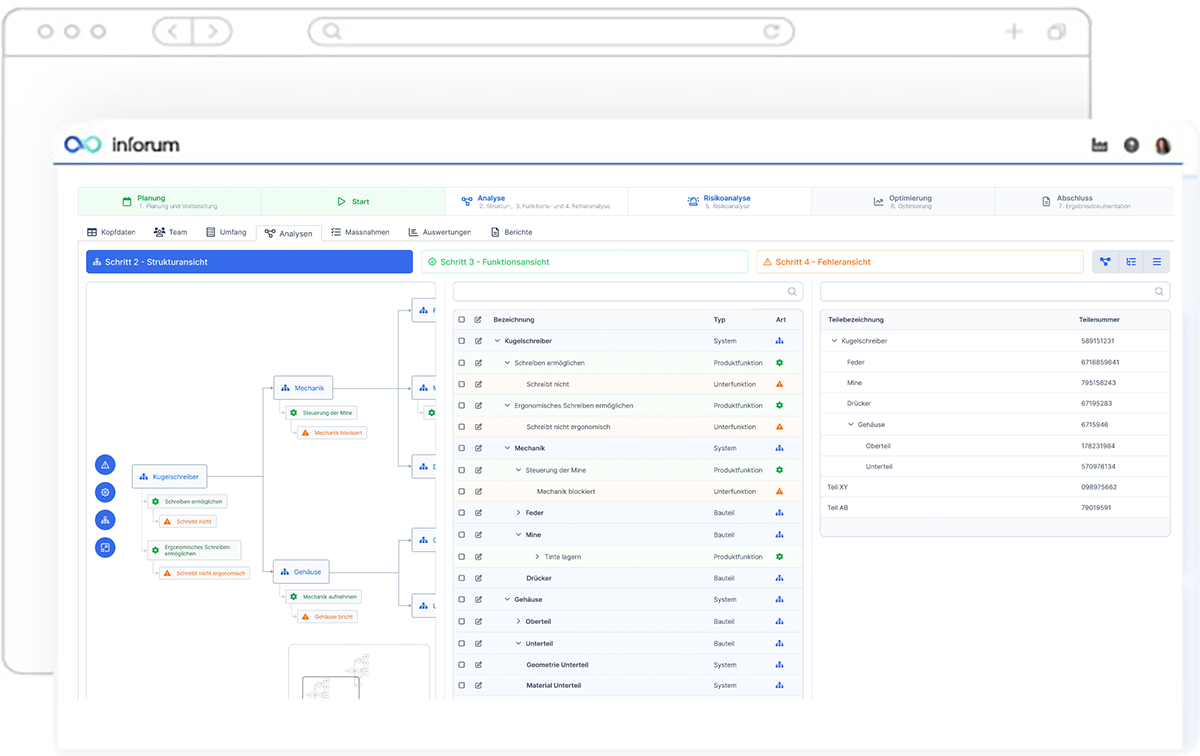
The Processes and Documents module covers both in a single structure. The process map organizes management, core, and support processes; each process carries an owner, a scope, and steps with input, output, and RASIC assignment. The BPMN diagram is created within the system, the turtle diagram from the recorded data. Performance indicators with target values are attached to the process.
Instructions, guidance documents, and forms are controlled the same way, with document type, information protection class, and level of obligation ranging from recommendation to mandatory signature. Templates are versioned and locked once approved.
Process and document pass through a technical and a formal approval stage; only then does the version become valid. Acknowledgment is recorded by person, version, and time. The standards mapping works in both directions, showing which requirement a process fulfills and which chapter remains open. Through the link to Risk Management and Audits, process data is available where it is reviewed.
Processes & documents module overview
- Process map and process structure
Management, core, and support processes are shown as a graphical map, with every entry directly accessible. Processes are organized hierarchically and carry an owner, a process type, and a scope. Group-wide and local processes are distinguishable, and translations cover multilingual sites. - BPMN, turtle, and RASIC
The flow diagram is created within the system, with lanes, tasks, gateways, and events, rather than inserted as an image. The turtle diagram is generated from the recorded process steps and is the expected format in process audits to VDA 6.3. Every step carries input, output, and RASIC assignment, including deputy arrangements. - Two-stage approval
Processes and documents are created, submitted, approved technically, and then approved formally. Technical approval confirms the content; formal approval makes the version valid. Change type, change description, and every decision are recorded in the history. - Read confirmation as evidence
Approval defines whether acknowledgment is required. Confirmations are recorded by person, version, and time, and open items appear as tasks. Where no read confirmation is required, the reason is stated and documented. - Document control in the same module
Operating procedures, work instructions, production instructions, method descriptions, guidance documents, and forms follow the same rules as a process. Every document carries an information protection class and a level of obligation, ranging from recommendation to mandatory signature. Templates are versioned and locked once approved, so that only the valid version is in circulation. - Performance indicators at process level
Each process holds performance indicators with a target value and a comparison operator, and actual values are recorded. An evaluation shows development and target achievement. Anyone reading the process sees how it is measured. - Standards mapping in both directions
Processes and documents are mapped to standards at chapter level. From the process, it is clear which requirements it fulfills; from the standard, which process covers a chapter. Chapters without coverage become visible before they come up in a certification audit. - Modular architecture
Processes and Documents is a module of the inforum management software and works with Risk Management, Audits, and Change Management on a single data foundation. The platform can be extended with further modules as required.
Process models in minutes
AI assistant OKI models complete processes in minutes instead of hours.
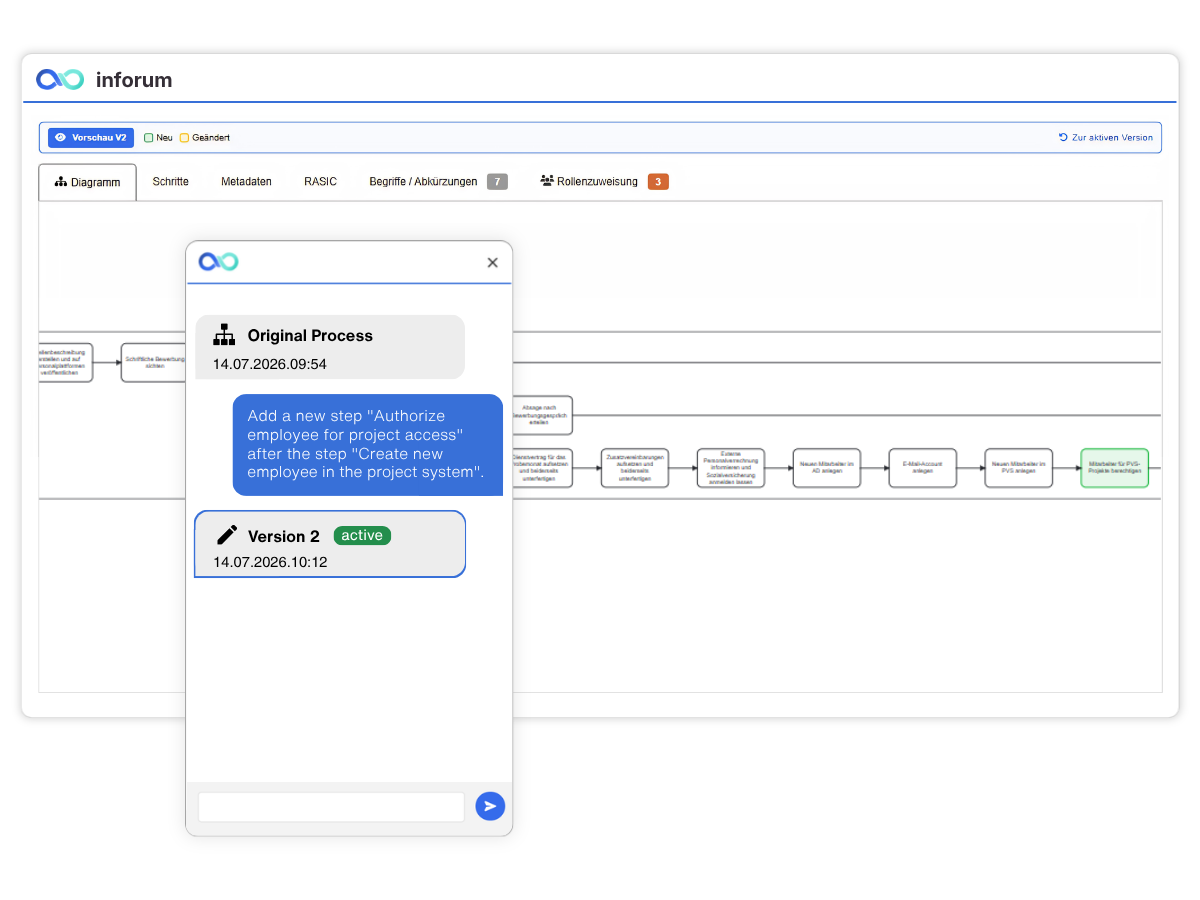
A process description, a Visio diagram, workshop notes: that’s all OKI needs. From these, it creates a process model based on BPMN 2.0, including metadata on description, scope, purpose and responsibilities. The RASIC matrix assigns roles and responsibilities right in the model. You stay in control. Every draft goes through a subject-matter review, corrections are made directly in inforum, and the model only goes live once it has been approved. OKI then translates the model into the languages of your sites.
| Task | manuell | mit OKI | Einsparung |
|---|---|---|---|
| Erstentwurf: Modell, Metadaten, RASIC | 4 h | 5 min | über 95 % |
| Abstimmung mit Process Owner | 4 h in mehreren Schleifen | 2 h in einem Termin, Änderungen direkt im Modell | 50 % |
| Übersetzung inkl. Eingabe im Modell | 2 h | 5 min + 30 min Prüfung | rund 70 % |
| gesamt | 10 h | 2 h 40 min | über 70 % |
Effort reduced by more than 70%
A complex, cross-departmental process, approved in 2 h 40 min instead of 10 h*
Five minutes, and the draft is ready. QM finalizes it in a single meeting with the business unit, because OKI incorporates every change into the model live. OKI takes care of the translation along the way. That leaves more time for what really matters: processes that are lived, not just drawn.
* Sample calculation based on typical effort levels.
Process management with inforum
One valid version
Acknowledgment on record
Improvement from within the organization
Frequently asked questions about process and document management
What functions does process management software provide?
Process management software describes a company’s process landscape and maintains it in a valid, approved version. This includes the process map, flow diagram, responsibilities, performance indicators, and standards mapping. In inforum, process descriptions and related documents run in the same structure, with shared versioning, two-stage approval, and documented read confirmation.
What does document control under ISO 9001 mean?
ISO 9001 requires in clause 7.5 that documented information be reviewed, approved, versioned, available, and protected against unintended alteration. What matters is not storage but evidence: which version applies, who approved it, and who is aware of it. inforum therefore maintains version, approval stages, information protection class, level of obligation, and read confirmation at document level.
How does the approval of processes and documents work?
The author creates a version and submits it with change type and change description. Technical approval confirms that the content is correct; formal approval by document control makes the version valid. At that point it is defined whether a read confirmation is required. The history shows who submitted, approved, or rejected a version, and when.
How is acknowledgment documented?
If a read confirmation is required at approval, the people concerned receive a request and confirm acknowledgment in the system. Person, version, and time are recorded. An evaluation shows the status by process and person, and open confirmations appear as tasks. Where no read confirmation is required, the reason is documented.
What is a turtle diagram and what is it used for?
The turtle diagram represents a process through input, output, participants, resources used, and measurement criteria. In process audits to VDA 6.3, it is the expected form of representation. In inforum, the turtle view is generated from the recorded process steps; it is not drawn separately and therefore always stays current.
How is standards coverage evaluated?
Processes and documents are mapped to standards at chapter level. From the process, it is clear which requirements it fulfills. From the standard, the evaluation shows which process covers a chapter and which chapter remains open. The second perspective is the one raised in certification audits.
Which documents can be controlled in inforum?
Operating procedures, work instructions, production instructions, method descriptions, guidance documents, and templates. Every document carries a document type, owner, scope, information protection class, and level of obligation ranging from recommendation to mandatory signature. Templates are versioned and locked once approved.
How does process management connect with the other modules?
Risks and opportunities per process are created together with Risk Management; process descriptions and turtle diagrams serve as the basis for review in audits; actions from 8D reports and Change Management lead to new process versions. All modules work on a single data foundation, and master data such as users, functional roles, scopes, and standards is maintained once.
inforum for your process management
Every company manages its processes according to its own structure, standards and approval rules. That’s why getting started with inforum begins with a conversation in which we take the time to understand your needs. Get to know inforum using your own process map, document structure and approval workflows, and let our team guide you from your first question all the way to successful implementation.